Description
Dokan Pro – Multi Vendor Marketplace Plugin for WordPress (GPL Licensed)
Dokan Pro is a powerful WooCommerce-based multi-vendor marketplace solution for WordPress. It allows you to convert a standard online store into a full marketplace similar to platforms like Amazon, eBay, or Etsy. It is designed to help site owners manage multiple sellers, products, and commissions in one system.
This is a GPL-licensed version of the plugin, meaning it can be used freely under the GNU General Public License. It includes the core functionality needed to run a multi-vendor marketplace on WordPress.
Key Features of Dokan Pro
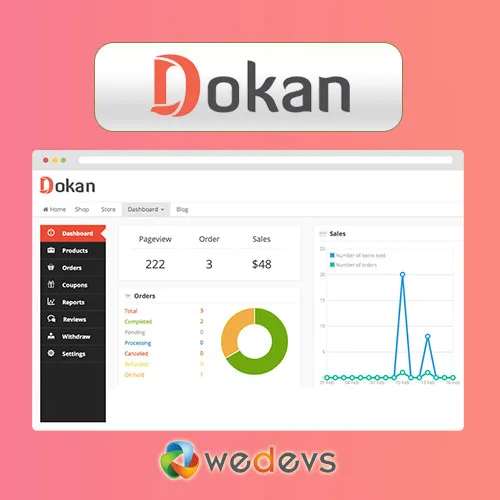
Frontend Vendor Dashboard
Vendors can manage their products, orders, and earnings directly from a front-facing dashboard without accessing the WordPress admin panel.
Flexible Commission System
Supports different commission setups such as global, category-based, vendor-specific, or product-based rules.
Withdrawal Management
Vendors can request payouts using multiple methods like PayPal or bank transfer, depending on your configuration.
Product & Order Control
Each vendor has full control over their own products and order handling process.
Shipping & Tax Settings
Vendors can configure their own shipping methods and tax rules.
Store Customization & SEO
Each vendor store can have its own SEO settings like meta titles, descriptions, and social sharing data.
Live Chat Options (via add-ons)
Enables direct communication between buyers and vendors using supported integrations.
Why Use Dokan Pro?
Dokan Pro is widely used for building scalable marketplaces without custom development. Since it works on top of WooCommerce, it integrates smoothly with most WordPress themes and plugins. It is suitable for physical products, digital goods, or service-based marketplaces.
Requirements
- WordPress installation
- WooCommerce plugin
- Dokan Lite (required base plugin)
Installation Overview
- Install and activate Dokan Lite from the WordPress plugin directory
- Upload and activate the Dokan Pro plugin
- Configure vendor settings, commissions, and store options
Frequently Asked Questions
Is Dokan Lite required?
Yes, Dokan Pro works as an extension of Dokan Lite.
Can I use it on multiple websites?
Yes, GPL licensing allows usage across multiple projects.
Does it include official support?
No, community or self-managed setup support is typically required.
Is this an official release?
It is a GPL-licensed distribution of the plugin, provided under open-source terms.
Related products


Smart Deposit Pro – Ultimate WooCommerce Partial Payment & Deposit Solution
Original price was: 50.00$.10.00$Current price is: 10.00$.